

Imagine walking into a room that’s been set up just for you – your favorite colors on the walls, pictures that speak to your soul, and even the music humming in the background feels like a personal soundtrack. This is the essence of white-labeling in the world of Power BI – it’s about making the powerful analytics and insights engine feel like it’s truly yours, tailor-made for your brand and your clients with various Power BI whitelabel options.
Let’s dive into the Whitelabel features of Power BI!
Whitelabel Power BI service
What whitelabel features does Power BI itself has to offer? Lets find out..
Power BI portal
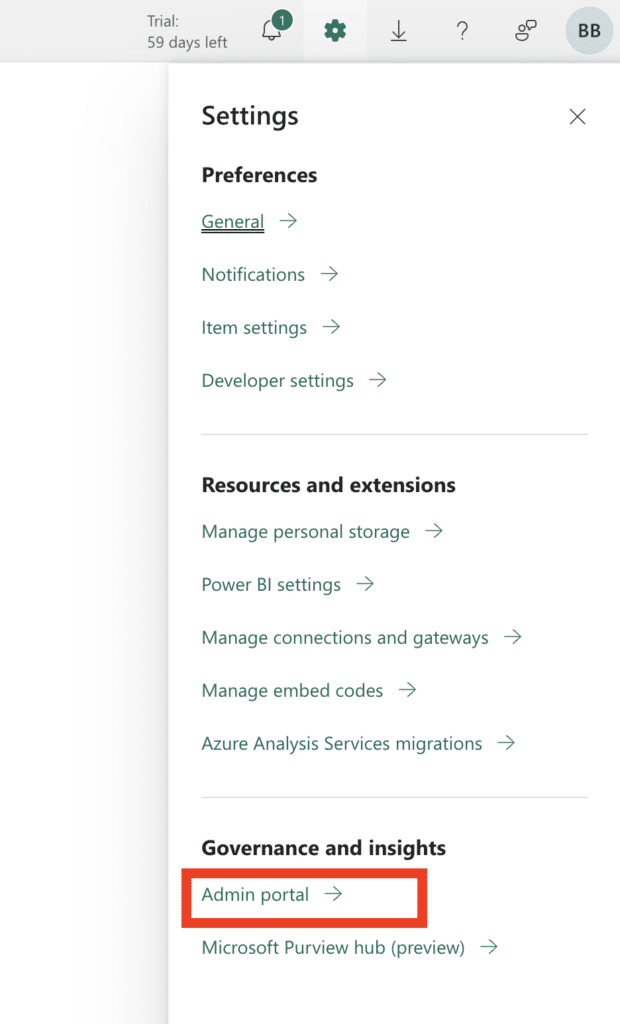
Login to https://app.powerbi.com (make sure you’re an administrator) and navigate to the settings -> Admin portal.
Then, navigate to the custom branding section at the left side
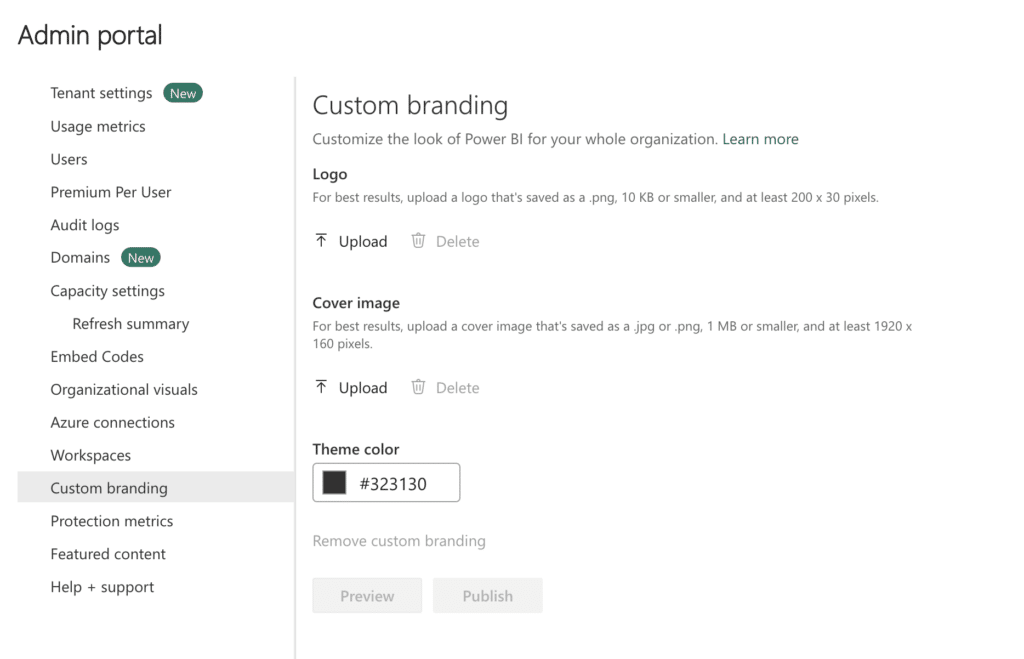
Here you’ll find all branding options for your Power BI online environment. This will customize the look of your entire organisations Power BI online environment. It might look something like this;

Thats it regarding the options for the Power BI portal itself . However, there are also various branding options when you create an ‘App’ of your report.
Power BI app
In the workspace list view, select Create app to start the process of creating and publishing an app from the workspace.

On the Setup tab, give it a name and add a description to help people find the app. You can also set a theme color, add a link to a support site, and specify contact information.
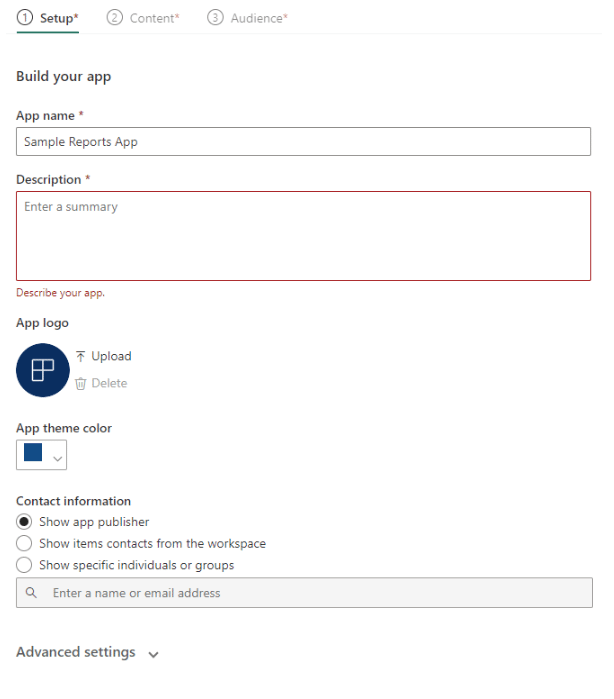
And that’s the customization options you get with Power BI apps.
Power BI embedded
While Power BI offers a solid foundation for business intelligence, its native customization options barely scratch the surface of what’s possible when we talk about brand integration. For businesses seeking to weave their brand identity seamlessly through every touchpoint, including analytics, the built-in features of Power BI may feel like painting with a limited palette. The essence of your brand, with its unique colors, fonts, and style, demands more than just superficial adjustments. That’s where Power BI embedded comes into play.
Now, you might wonder, “Should I build this customized home from the ground up or is there a shortcut?” Building it yourself means you can get exactly what you want, but it’s a bit like baking bread from scratch — satisfying but time-consuming. Here’s where ready-made solutions like DataTako comes into play, offering you the kitchen, oven, and even the recipe to bake that bread in minutes, not hours.
DataTako allows you to configure a fully whitelabel reporting portal in a matter of minutes, embed your Power BI reports, fully customize the look and feel and even use your own domain! You are able to share reports with anyone, anywhere in the world, including external users such as vendors or customers.


