
Discover the features we offer
Send reports to anyone, even people outside your company.
Share Power BI reports with external users, no Pro license required
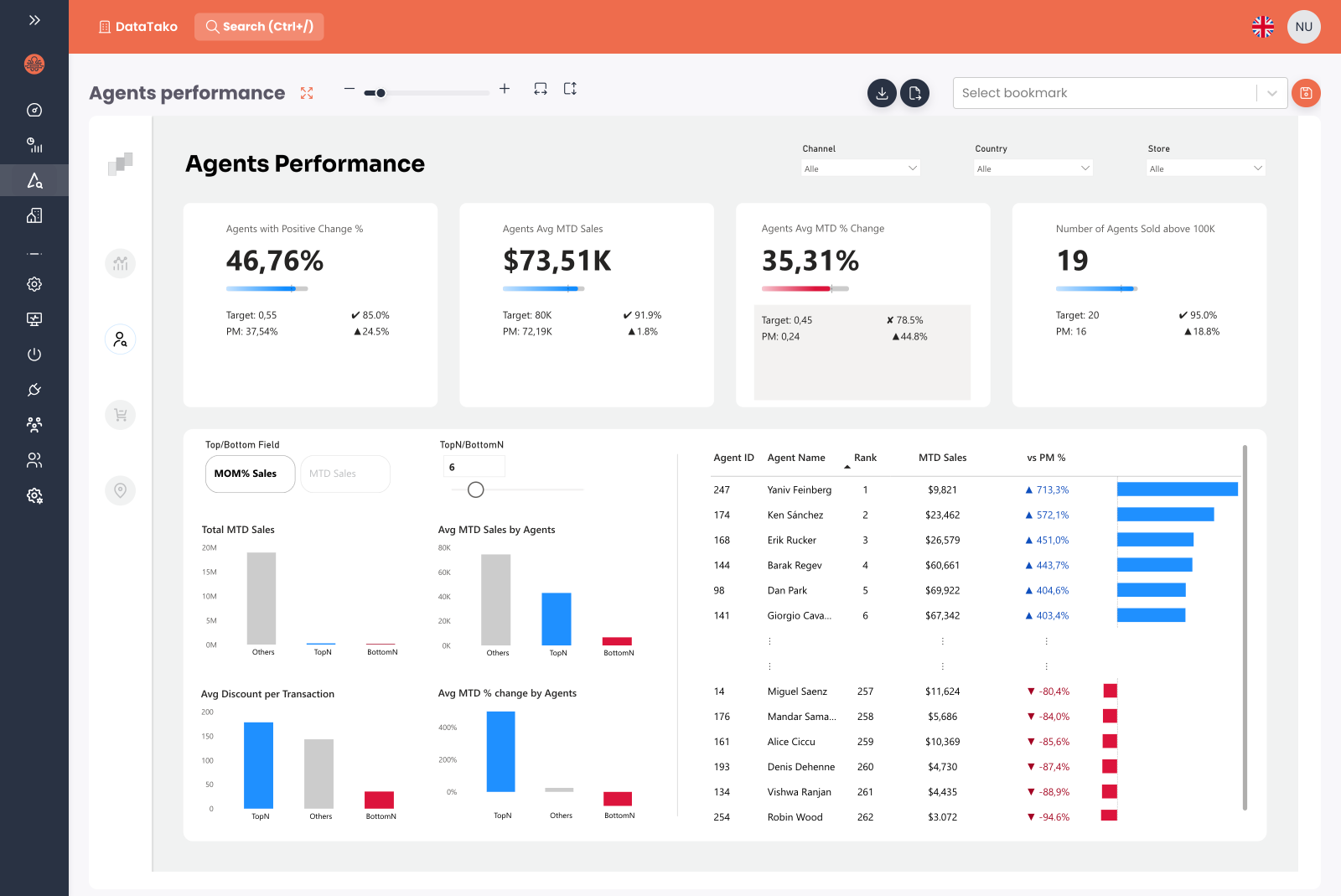
Distribute Power BI reports, dashboards, paginated reports and PDFs to anyone, including external clients and partners. Without Pro licenses. Without Microsoft 365 guest accounts.
- ✓Power BI reports, dashboards and paginated (SSRS-style) reports on one platform
- ✓Email or SSO sign-in for all users
- ✓Email subscriptions and smart alerts on any report
- ✓PDF export and scheduled delivery built in
- ✓Built-in report comments so viewers can discuss insights next to the data
- ✓Sub-organisations let you isolate each client’s reports and users
Make the portal feel like part of your own product.
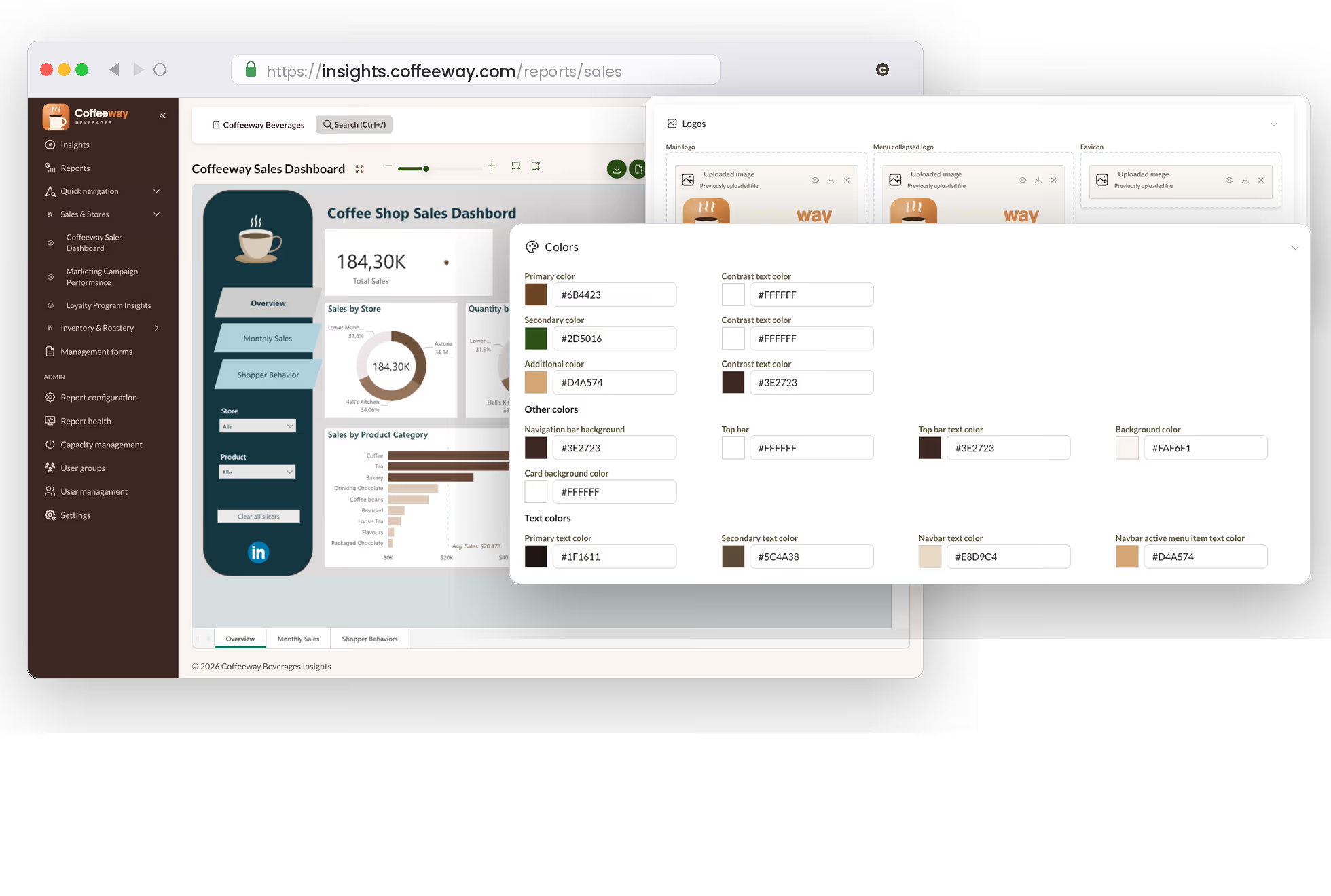
Your own domain, your brand, your portal
Run DataTako on your own domain, with your logo, colours, fonts, email templates and login page. Each sub-organisation can override the same settings independently.
- ✓Custom domain, viewers see your URL not ours
- ✓Brand colors, logo, typography across every page
- ✓Custom SMTP server for subscription, alert and invitation emails
- ✓Branded login page with your identity providers
- ✓Portal available in English, Dutch, German, Spanish and Portuguese
- ✓Per-sub-organisation branding for agencies and resellers
One account, separate portals for each client.
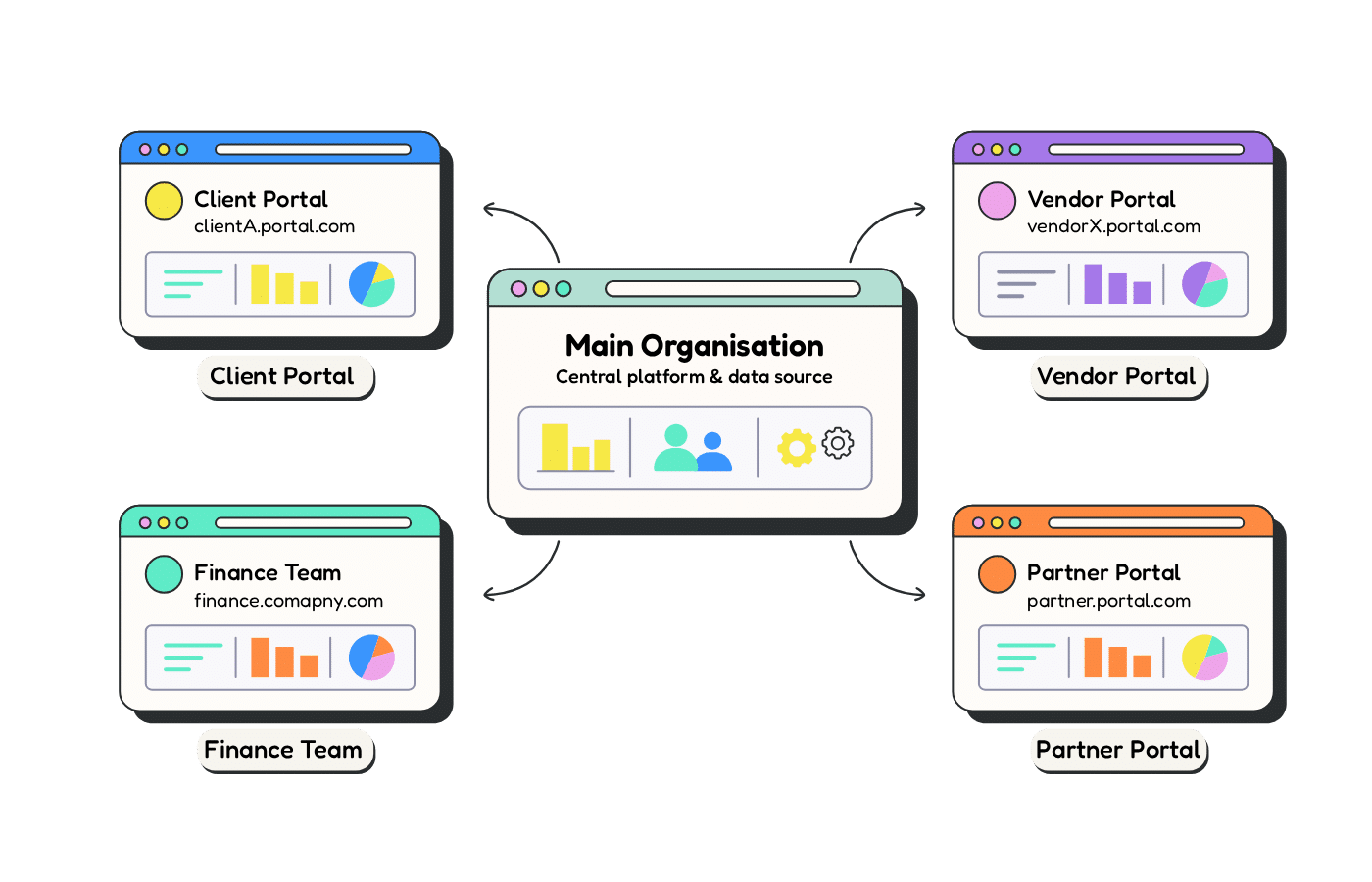
Run hundreds of branded client portals from one account
Sub-organisations let one DataTako account host isolated environments for every client, business unit or brand. Each sub-organisation has its own users, reports and branding, while one Microsoft Fabric capacity can be shared across all of them to keep costs down. Spin up a new portal in minutes from the admin panel.
- ✓Separate users, groups, reports and audit logs per sub-organisation
- ✓Independent branding: custom domain, logo, colors and email templates
- ✓Per-sub-organisation Microsoft Fabric capacity, or share one capacity across all
- ✓Inherit security policies from the parent tenant, or override per child
Let viewers chat with the data behind their reports.
Ask your data anything with the built-in AI agent
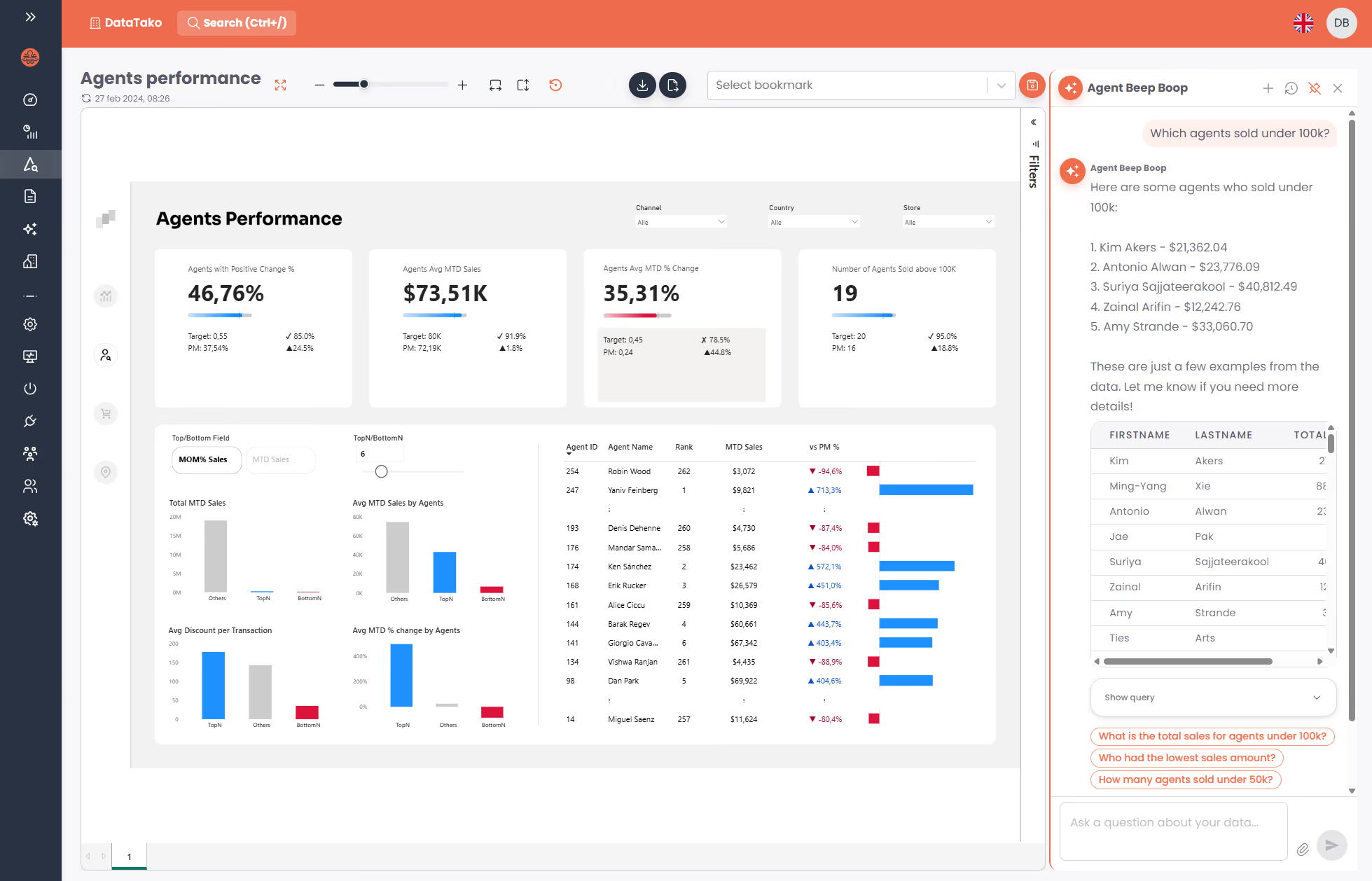
Every report gets an AI assistant that understands the semantic model behind it. Viewers type a question in plain language, like "which agents sold under 100k?", and get an instant answer with the numbers and a table pulled straight from the data. Connect your own AI provider: Anthropic, OpenAI or Azure AI Foundry.
- ✓Ask questions in plain language, no DAX or Power BI knowledge needed
- ✓Answers respect row-level security, viewers only ever see their own data
- ✓Suggested follow-up questions keep the conversation going
- ✓Bring your own AI provider and API key: Anthropic, OpenAI or Azure AI Foundry
Let your clients edit data through a spreadsheet, not just look at it.
Data writeback through an Excel-like editor
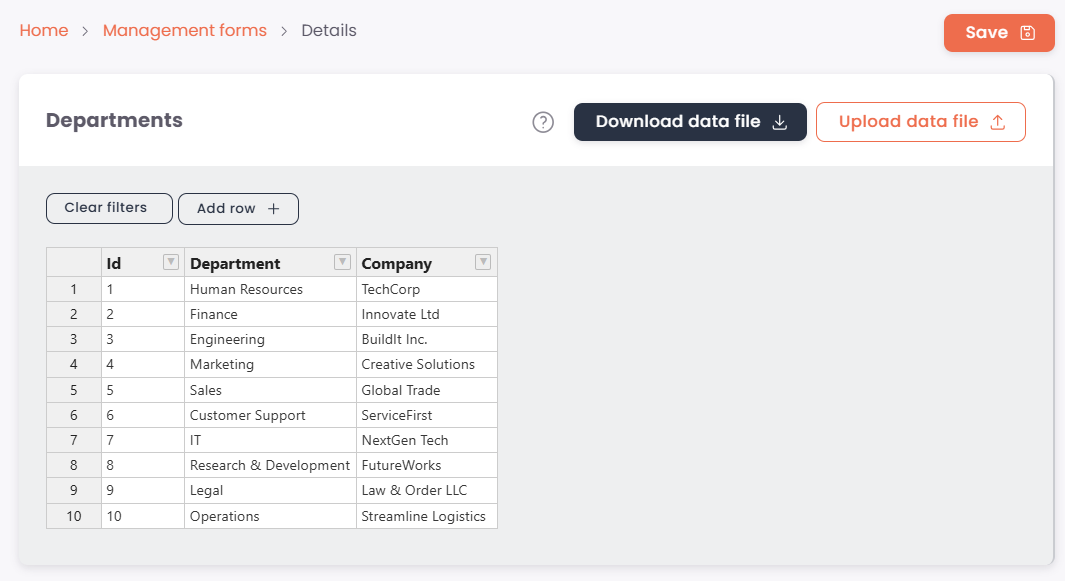
Management forms give viewers a familiar Excel-like grid to edit the data behind your Power BI reports. Forms connect directly to SQL Server or PostgreSQL. No Power Apps, no Power Automate, no Premium capacity required.
- ✓Spreadsheet-style grid with cell editing, sorting, filtering and undo
- ✓Add, delete and reorder rows; edit hundreds of rows at once
- ✓Bulk update by downloading the form to Excel, editing offline and re-uploading
- ✓Connect directly to SQL Server or PostgreSQL with service principal or SQL auth
- ✓Per-form permissions, integrated with user groups, audit trail of every change
Discuss insights right inside reports.
Talk about the data, next to the data
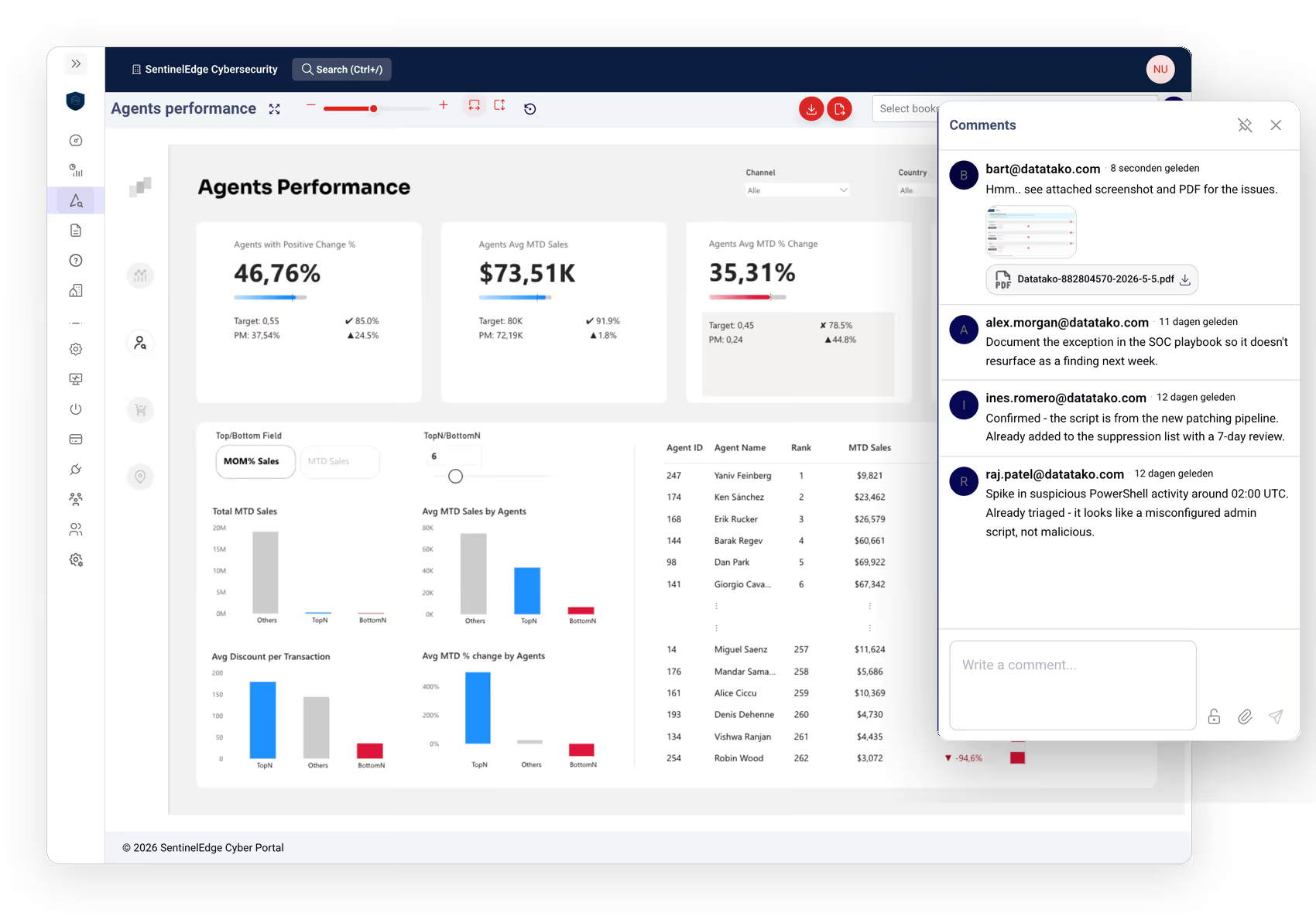
Add comments directly on Power BI reports so viewers can ask questions, flag issues and share insights without leaving the portal. Every comment is tied to the report, searchable, and auditable.
- ✓Threaded comments per report, page or visual
- ✓Audit log of every comment edit and deletion
- ✓Per-report permission to view or post comments
Every other DataTako feature in one place
Every capability built into the platform. All included on every plan, no per-feature add-ons.
Row-level security (RLS)
Each viewer only sees their own rows. Power BI RLS rules are enforced automatically.
Single sign-on (SSO)
Entra ID, SAML 2.0, Office 365 out of the box.
Force 2FA per tenant
Require two-factor authentication for every user in a tenant.
IP whitelisting
Restrict access to trusted IP ranges, per tenant or sub-organisation.
Audit logs
Every login, view and admin action logged and exportable via REST API.
Report subscriptions
Schedule any report to be emailed daily, weekly or on a custom cadence.
Smart alerts
Trigger an email when a Power BI metric crosses a threshold on refresh.
Report comments
Discuss insights inside reports. No more scattered email threads.
Bookmarks & saved states
Save filter selections and reload them per viewer.
Report health monitoring
Track uptime, latency and refresh status for every report.
Public REST API
Manage reports, users, subscriptions and capacities programmatically.
Sub-organisations
Hierarchical tenants with separate branding, users and capacities.
Bulk user import
Upload users from Excel during onboarding. Auto-assign to groups.
Multi-language
Portal is available in English, Dutch, German, Spanish and Portuguese.
Custom SMTP
Send emails from your own SMTP server with your DKIM signature.
User & report groups
Assign permissions once, apply to thousands of viewers.
Power BI workspace sync
Automatically sync Power BI reports, dashboards and paginated reports from your Power BI workspace into DataTako.
Activity dashboard
See who opened which reports, when, and for how long. Track engagement across your entire portal at a glance.
Auto pause & start Fabric capacity
Automatically pause your Microsoft Fabric capacity outside business hours and resume it before scheduled refreshes. Cut capacity costs without losing availability.
AI agent
Ask questions about your data in plain language. Works with Anthropic, OpenAI and Azure AI Foundry.