
DataTako for HR & recruitment
Deliver interactive recruitment analytics, workforce insights, and HR dashboards through a branded client portal — no Power BI licenses needed on their end.
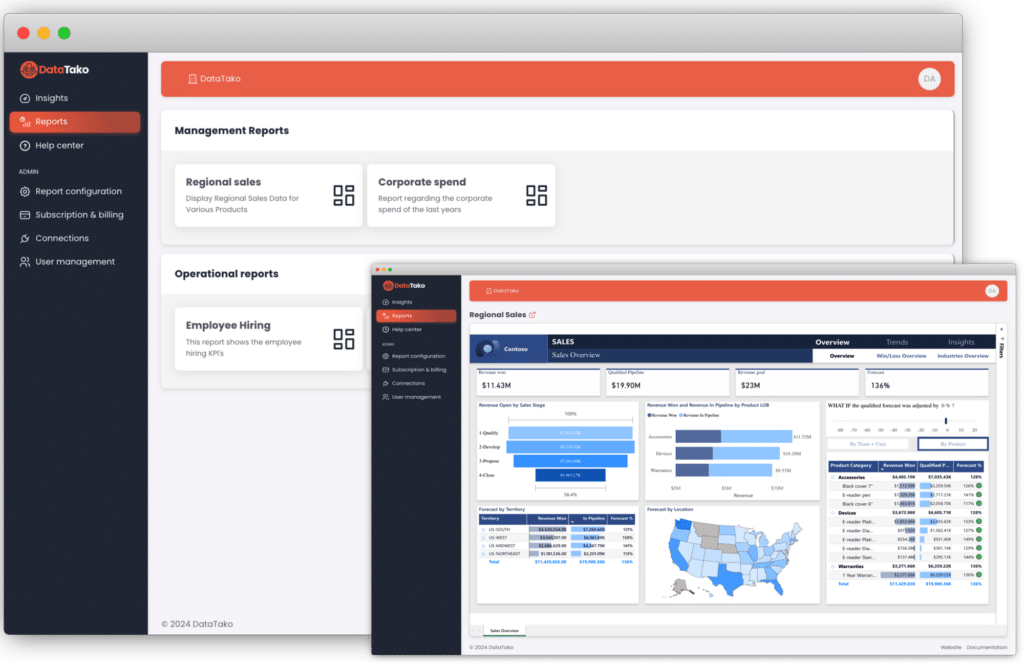
BI agencies face unique challenges when sharing reports with clients.
Building separate reports per client in spreadsheets or slide decks wastes hours every week and doesn't scale.
Emailing reports with candidate details, salary benchmarks, and pipeline data creates unnecessary security exposure.
Static PDF reports don't let hiring managers filter by role, department, or location — they always come back with follow-up questions.
Sending clients a generic Power BI link undermines your agency's professionalism and makes you look like every other firm.
Everything you need to deliver professional, interactive workforce dashboards to your clients.
Give each client a white-labeled portal with your agency logo, colors, and domain.
Share interactive Power BI reports with unlimited external users without buying Pro licenses.
Each client only sees their own data. Secure, isolated, and fully compliant.
Add and remove client users in seconds. Group them by organization for easy oversight.
Reports update automatically. Your clients always see the latest data without manual intervention.
Clients can access their dashboards from any device — desktop, tablet, or mobile.
From pipeline visibility to workforce planning, DataTako changes how you deliver insights to clients.
01
Replace static slide decks with live dashboards your clients can explore before the meeting. QBRs become strategic conversations, not data walkthroughs.
02
Deliver headcount trends, attrition analysis, and capacity planning dashboards your clients can explore and filter by department, location, or team.
03
Give hiring managers a live dashboard with candidate pipeline status, source effectiveness, and time-to-fill metrics — updated automatically from your ATS data.
✗
Building spreadsheet reports per client every week
✗
Emailing sensitive candidate data as attachments
✗
Clients constantly asking follow-up questions
✗
No branded reporting experience
✗
Expensive Power BI licenses per hiring manager
✓
Live dashboards update automatically from your ATS
✓
Secure portal access with complete data isolation
✓
Branded portal with your agency identity
✓
Zero client-side licenses required
✓
Clients self-serve their own reports
Your clients data is protected at every level.
Each client only sees their own data, enforced at the Power BI dataset level.
Built on Microsoft Azure with enterprise-grade uptime and reliability.
Granular permissions let you control exactly who sees what, down to the report level.
SSO support and secure login flows keep your client accounts protected.
See how DataTako helps HR and recruitment agencies share pipeline analytics and workforce dashboards through a secure, branded portal.
Common questions from BI agencies exploring DataTako.
Yes. You can build D&I dashboards in Power BI and distribute them through DataTako. Each client sees only their own diversity data, making it easy to track progress and demonstrate compliance.
Not at all. DataTako provides a simple, intuitive portal experience. Clients log in, see their dashboards, and can filter and interact with the data. No Power BI knowledge required.
Yes. Sub-organizations let you create isolated reporting environments for each client. Each sees their own workforce metrics, attrition data, and HR KPIs through a branded portal.
Absolutely. Row-level security ensures each client organization only sees their own candidates and workforce data. DataTako's secure portal and access controls keep sensitive HR information protected.
Yes. You can give hiring managers direct access to recruitment pipeline dashboards through DataTako's portal. They see real-time candidate data, time-to-hire metrics, and pipeline status without needing a Power BI license.